IL Safety AcademyDigital employee training

Classroom (face-to-face) training

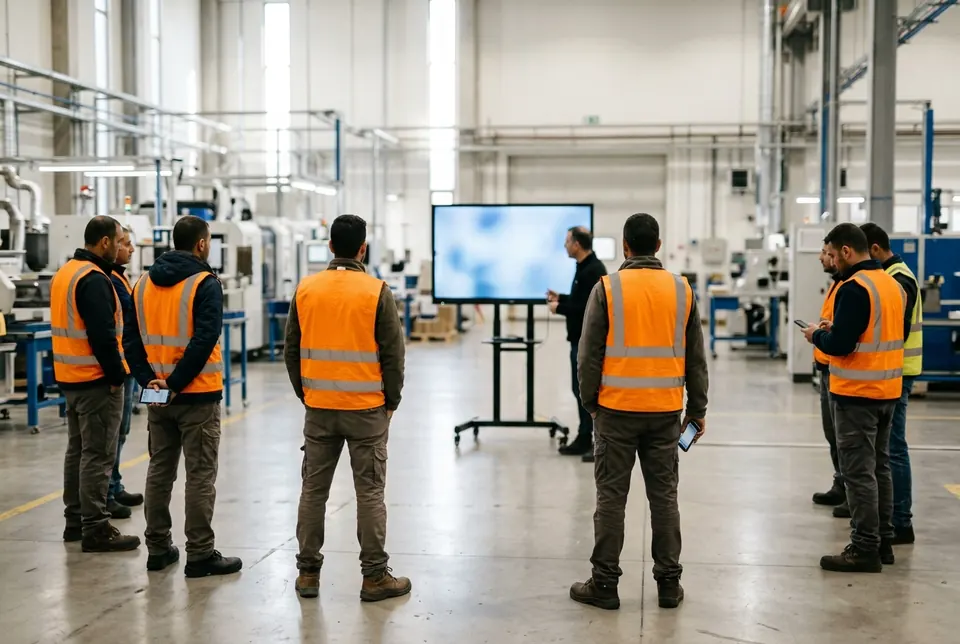
Classroom training: present from the system, employees answer on their phones in their own language, and attendance is documented

From 16 October 2026, safety training is face-to-face by default. It can be given with the same training your employees know from their phones: you show it on the projector, the employees join from their phones and answer the questions in their own language, and at the end an attendance list and a session report are saved.

Written by Roman Bok, certified safety officer and certified work-at-height instructor · Updated: October 2026

What the regulations say about face-to-face training

The default

The training is face-to-face (in-person) training. Online training or an e-learning course is permitted only at a workplace that has an appointed safety officer who has confirmed this on the Second Schedule form, and not at a workplace carrying out building or engineering construction work that requires notice under section 192 of the Work Safety Ordinance (regulation 3(a2)).

The instructor and the employee in one place

The training takes place with the suitable professional and the employee being trained physically present together in one place, and it allows a two-way dialogue (regulation 3(a3)).

In a language the employee understands

The training is carried out in a language the employee understands, or with the help of means of translation into such a language (regulation 3(a3)).

Digital means allowed

Digital means or other training aids may be used during the training (regulation 3(a3)).

Source: the Labour Inspection Organisation (Provision of Information and Training of Employees) Regulations, 1999, regulations 3 and 6, as amended by the Amending Regulations, 2026 — Kovetz HaTakanot 12471, 14.7.2026.

How to give classroom training with the system

  1. Choose a training

    The company administrator opens one of the company's trainings and shows it on a projector, a television or a single computer.

  2. Open a documented session

    Enter the site and the instructor. The date and time are recorded by themselves.

  3. The employees join

    They scan a QR code and type a phone number — no password and no SMS. Anyone without a phone is registered by the instructor.

  4. Teach at your own pace

    Move between the slides, with a clicker too. Show a question, the employees answer on their phones, and you reveal the answer.

  5. Questions from the room

    An employee asks the instructor a question from their phone in their own language, and the instructor answers them personally or the whole class.

  6. Finish and document

    Confirm the attendance list, note how understanding was checked, and the session report is saved as a PDF in the company's file.

What is in the classroom

The audience screen

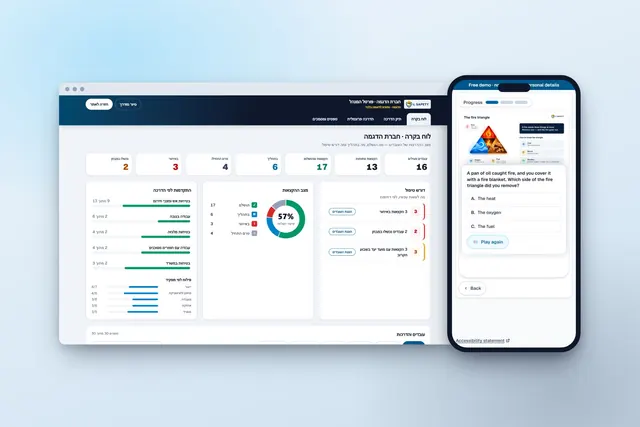
On the projector: the slides, the narration, the videos and the presenter, as in the personal training. When a question is asked, the question and the number of answers from the room appear.

The instructor's screen

On the instructor's computer: the next slide, notes for the instructor, the correct answer and its explanation. The room does not see the answer until the instructor reveals it.

The employee's phone

The question appears on each phone in the language each employee chose. They answer, and see the correct answer when the instructor reveals it.

The instructor's language and the room's language

The employees see and hear the training in their own language, and the instructor's screen shows the same slide in the instructor's language — when the training is identical in both languages.

A message and a quick question

The instructor writes a message, or a question of their own with answers to choose from, in their own language — and it appears on the projector and on every phone in the employees' language.

Switch on only what you need

Narration, presenter, captions, games, questions and the exam — switch each one on or off for every session, without changing the training.

What the session report keeps

  • The training presented, the company, the site, the instructor, the date and time, and the training language.

  • The attendance list, and for each person how their attendance was confirmed: from their own phone or by the instructor.

  • The identification number of every participant who is on the company's employee list.

  • The room's answers to the questions shown in the session.

  • How understanding was checked — oral questions, answers on the phones, a written check or a practical demonstration — and the instructor's notes.

  • The report is saved as a PDF in the company's file, under the company's forms and documents.

Attendance and a session report — not the register, not a certificate

In classroom training the system keeps an attendance list and a session report, but it does not currently add the training to the training register it produces. Record the classroom training in the training register separately, with all the details regulation 6 requires. A personal certificate is issued in the personal training, after the employee's exam and signature.

Frequently asked questions

What is the difference between face-to-face training, online training and an e-learning course?

In face-to-face training the suitable professional and the employee are together in one place, with a two-way dialogue between them. Online training takes place without shared presence, through digital means, with the employee identified and their participation tracked in real time. Training through an e-learning course uses a computerised course prepared by a suitable professional. From 16.10.2026, face-to-face training is the default (regulations 3(a2) and 3(a3)).

May a presentation, videos and phones be used in face-to-face training?

Yes. Under the definition in the regulations, digital means or other training aids may be used during face-to-face training. What makes it face-to-face is that the instructor and the employees are together in one place and can talk with each other.

What if the employees do not speak Hebrew?

The regulations allow training in a language the employee understands or with the help of means of translation. In the system, the projector and the phones show the training in the employees' language, and the instructor's screen shows the same slide in the instructor's language. Employees can ask questions from their phones in their own language, and the question is translated for the instructor. The questions and answers are translated by artificial intelligence; the answers are given by the instructor.

Who can give the training?

Under the regulations, the training is conducted by a suitable professional — a person with experience, skills and training in the subject, who has signed a declaration on the First Schedule form. In the system, the presentation and the documented session are opened by the company administrator from the manager portal.

What do you need to get started?

A computer with a browser, and a projector or a television — or just one computer. The employees join from their own phones by scanning a QR code and entering a phone number, with nothing to install and no password. Anyone who comes without a phone is registered by the instructor.

Do the employees receive a certificate?

No. In classroom training, attendance is recorded and a session report is saved in the company's file. A personal certificate is issued in the personal training, after an exam and a signature.

Does the session report replace the training register?

No. The system keeps an attendance list and a session report, but it does not currently add classroom training to the training register it produces, so it is recorded in the register separately, in accordance with regulation 6. The session report documents the session: the training, the date, the instructor, the participants and how attendance was confirmed. The training register under regulation 6 also includes the ID number, passport number or government identifier of every participant and the competence and role of the suitable professional, and the professional's declaration on the First Schedule form is attached to it — make sure these are documented for classroom training too.

Want to train in the classroom with the system?

Leave your details and we will show you a classroom presentation in a demo, or try a sample training yourself. Try a sample training

For example: safety, harassment prevention, a quality procedure, onboarding…

  • Workplace safety

    Annual safety training by role and risk, with a training register and the First and Second Schedule forms under the regulations.

  • Safety e-learning

    What to check before choosing an online safety training platform, what it does not do, and when Israeli law allows safety training by e-learning.

  • Training in the employee's language

    Foreign workers, new immigrants and multilingual teams: each employee chooses their language and gets the same content, the same exam and the same records.

  • Training register and records

    A training register under the regulations with the Schedule forms, and records for every employee — signed lists, employee files and Excel — ready for an inspection.

  • Schedule forms to download

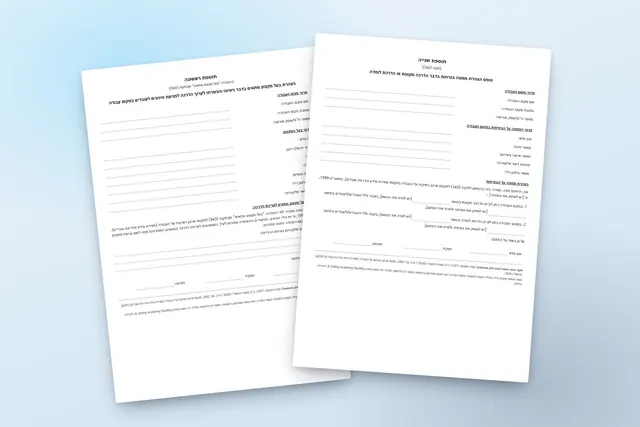
    The First Schedule and Second Schedule forms of the regulations, in their official wording — blank, for printing, free of charge.

  • Sign-in sheet and training record templates

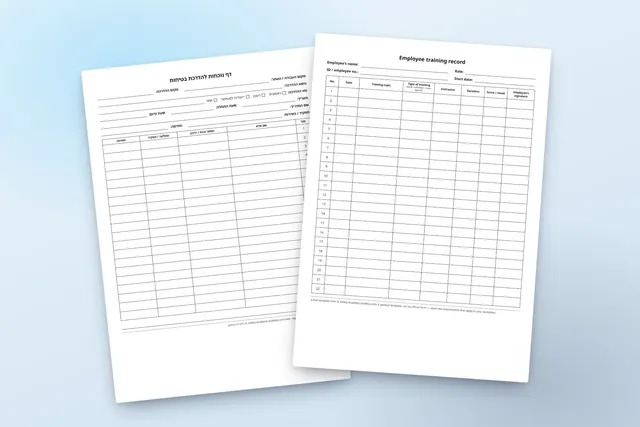
    A safety training attendance sheet and an employee training record — blank PDF templates to print, free of charge, in ten languages.

  • Sexual harassment prevention

    Training for every employee in their own language: the prohibition in the law, the code of conduct and the details of the organisation's person in charge of complaints, acknowledged and signed.

  • Quality and work procedures

    Procedures, work instructions and the requirements of a standard: every employee learns, is tested and confirms, and the records are ready for audit.

  • Procedures to read and sign

    A Word procedure becomes an accessible page on the phone: the employee reads, takes a short quiz and signs, and a signed receipt is kept for each employee.

  • New employee onboarding

    Every training a new employee needs — safety, procedures and harassment prevention — in one assignment and in their own language.

  • Custom courses

    From your presentation, procedure or know-how — a digital course with narration, an exam and versions in your employees' languages.

The information on this page is a general summary and is not legal advice. The binding text is the text of the regulations as published in Reshumot, the official gazette.