
Who took part
The names of the employees who took part in the training, and for each one an ID number, passport number or other identifier issued by a government authority (regulation 6).
Training register and training records
When an inspection comes, it is not enough that the training took place — you have to show it. The regulations set out what is recorded in the training register and what is attached to it. On this page: what the register must contain from 16.10.2026, and how the system produces it, and the rest of the records, from what your employees have already completed and signed.
Written by Roman Bok, certified safety officer and certified work-at-height instructor · Updated: October 2026

The names of the employees who took part in the training, and for each one an ID number, passport number or other identifier issued by a government authority (regulation 6).
The dates of the training, the type of training and the subject of the training (regulation 6).
The name of the suitable professional who conducted the training, their competence and their role (regulation 6).
The register is kept within the workplace; at a workplace where building or engineering construction work is carried out — at the construction site where the employee works (regulation 6A).
Source: the Labour Inspection Organisation (Provision of Information and Training of Employees) Regulations, 1999, regulations 3, 3A, 6 and 6A, as amended by the Amending Regulations, 2026 — Kovetz HaTakanot 12471, 14.7.2026.
The amendment to the regulations, which applies to every training from 16.10.2026, added identification numbers to the register and documents that are attached to it.
The ID number, passport number or other government identifier of every employee who took part in the training (regulation 6).
The declaration of the suitable professional who conducted the training, on the First Schedule form. It stays attached to the register until an updated training on the same subject is held (regulation 3(a1)).
For online training or an e-learning course: the Second Schedule form, on which the appointed safety officer confirmed that the training may be held this way, signed and attached to the register (regulation 3(a2)).
A construction contractor employing foreign workers keeps an annex to the register on their additional training: passport number, country of citizenship, date of entry to Israel, date of the training and the name of the training institution (regulation 3A(f), a temporary provision until 15.10.2028).
In plain terms: from 16.10.2026 the register has to show not only who was trained, but also each employee's identifier and who trained them — and, for online training or an e-learning course, that the safety officer approved it in writing.
The company administrator fills in the workplace details, and a list on the screen shows what is still missing to produce the documents.
The First Schedule form, in its official wording, is signed by the suitable professional personally — from a personal link with a code sent to their email, or on a printed copy that is scanned.
For online training or an e-learning course — the Second Schedule form, for the appointed safety officer to sign in the same way. At a workplace carrying out construction work that requires notice under section 192, the system does not prepare it.
Each employee who completes the training confirms and signs, and their name, identifier, dates, training language and signature are saved.
Before issuing, you see the register on screen, with the identification numbers partly hidden, and a warning about anything missing.
One accessible PDF: the register, an annex for those assigned who did not complete, an index, and the First and Second Schedule forms attached.
A list of who passed, per training (PDF): identifier, role or department, date, score, validity and the employee's signature — and, if you wish, who has not finished yet.
An employee file (PDF): every training they completed, with the signature and the certificate number, and the trainings still open.
An Excel report: a summary, who passed, an employees-by-trainings table by validity, and who has not completed and how many days late.
One ZIP file with everything: the reports, a file and the certificates for each employee, the signature summary forms, the evidence file of each completion and the issued Schedule forms.
Filtering by training, period and department.
The reports are produced from the signatures saved when the employee completed the training. Nothing is signed again, and the certificates are included exactly as they were issued.
Under regulation 6: the names of the employees who took part, each one's ID number, passport number or government identifier, the dates of the training, its type and subject, and the name, competence and role of the suitable professional. The professional's declaration on the First Schedule form is attached to it, and for online training or an e-learning course, the signed Second Schedule form as well.
Within the workplace; at a workplace where building or engineering construction work is carried out — at the construction site where the employee works (regulation 6A). The system produces the register as a PDF that can be printed and kept at the workplace.
The system flags it in the preview and does not invent a number. You complete the number in the employee's details, and then issue the register.
Yes — in a corrected version of the same register. The previous version is kept as it was and remains available for download.
On screen the numbers are partly hidden. The full number appears only in the issued register, which the company administrator issues and downloads, and every download is logged.
No. Each of them signs personally — from a personal link with a code sent to their email, or on a printed copy that is scanned. The system signs on behalf of no one.
Yes. The who-passed lists, the employee file, the Excel report and the ZIP file include every training your employees completed in the system — including sexual harassment prevention, quality training and training for the role.
Leave your details and we will get back to you, or try a sample training yourself. Try a sample training

Annual safety training by role and risk, with a training register and the First and Second Schedule forms under the regulations.
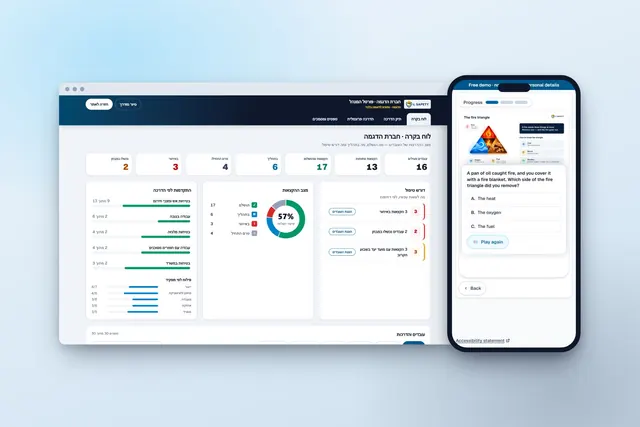
What to check before choosing an online safety training platform, what it does not do, and when Israeli law allows safety training by e-learning.

Present a training from the system on a projector; employees answer on their phones in their own language, and an attendance list and a session report are saved.

Foreign workers, new immigrants and multilingual teams: each employee chooses their language and gets the same content, the same exam and the same records.
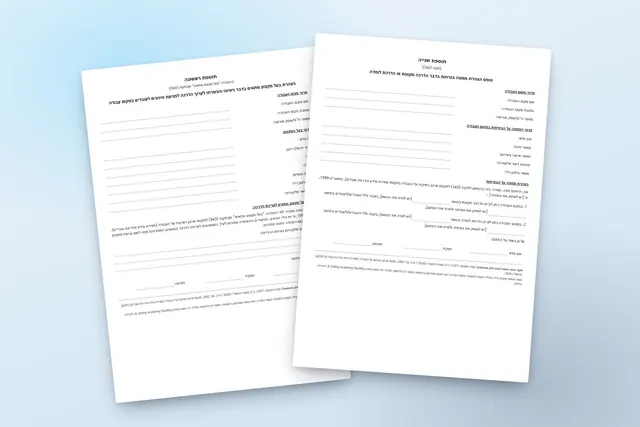
The First Schedule and Second Schedule forms of the regulations, in their official wording — blank, for printing, free of charge.
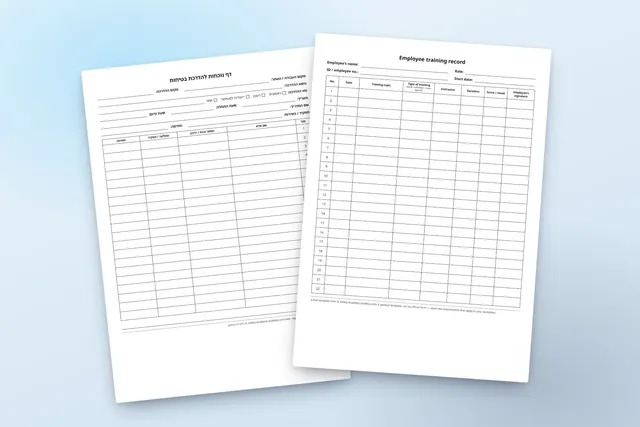
A safety training attendance sheet and an employee training record — blank PDF templates to print, free of charge, in ten languages.

Training for every employee in their own language: the prohibition in the law, the code of conduct and the details of the organisation's person in charge of complaints, acknowledged and signed.

Procedures, work instructions and the requirements of a standard: every employee learns, is tested and confirms, and the records are ready for audit.

A Word procedure becomes an accessible page on the phone: the employee reads, takes a short quiz and signs, and a signed receipt is kept for each employee.

Every training a new employee needs — safety, procedures and harassment prevention — in one assignment and in their own language.

From your presentation, procedure or know-how — a digital course with narration, an exam and versions in your employees' languages.
The information on this page is a general summary and is not legal advice. The binding text is the text of the regulations as published in Reshumot, the official gazette.